
Searching for a Warrant in Hopkins County
A Hopkins County warrant search is not one form. It is a series of calls to the right court or agency. Start by identifying the court from a citation, hearing notice, or case paper. District criminal files run through the District Clerk. County misdemeanors route to the County Court at Law. JP and city clerks handle their own traffic, Class C, and ordinance matters. Keep the legal name, birth date if requested, citation or cause number, issuing city or precinct, and the date of the missed setting close at hand. Without a court name, the Sheriff can explain its service and custody route, though it cannot replace every clerk in Hopkins County. Each office holds only its own docket, so the court that issued the paper gives the binding answer on an active warrant or bench warrant.
- Open the county's Open Warrants page and note that it links to state resources rather than a county name search.
- Call the issuing clerk, including JP1 or JP2 for a justice-court citation, or the city court printed on a municipal ticket.
- Ask the Sheriff at (903) 438-4040 about service, booking, or bond logistics.
- Request existing records in writing under the Texas Public Information Act if a document copy is needed.
- Check DPS or OmniBase only for a court-reported FTA/FTP license hold, then confirm any warrant with the issuing court.
Hopkins County Warrant Database Gap
Hopkins County does publish a page called Open Warrants, but it is a routing page rather than a searchable roster. It gives courthouse information and links to state FTA and FTP resources. There are no name, birth-date, warrant-number, court, or status fields anywhere on it. The official landing page still helps with orientation, since it lays out the county's published route. The real answer usually comes from the court that issued the paper, or from the Sheriff on a service or custody question. A blank search result proves nothing either way. Remember that no online tool in Hopkins County replaces a call to the issuing clerk. The official Hopkins County Open Warrants page shows the gap plainly.
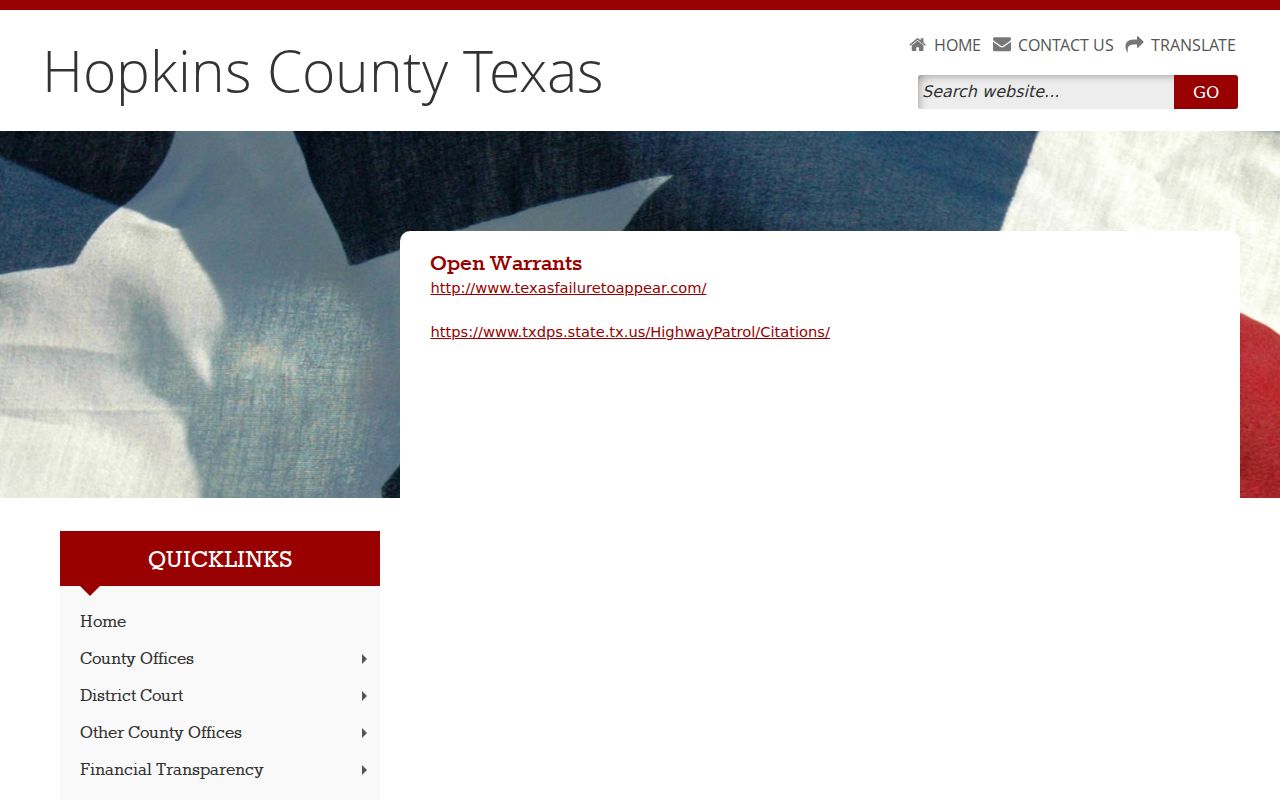
Its state links address a different purpose, so call the court after reading them.
Warrant Search Fields Explained
No Hopkins County public warrant form offers search fields. The identifiers below are what clerks and agencies can actually use to locate a file or explain their limits.
| Channel | Identifiers to Have Ready | What It Can Confirm | Limit |
|---|---|---|---|
| County Open Warrants | None; no form | State links and courthouse contact | No local roster |
| Sheriff by phone | Name, birth date, case or citation if known | Service, custody, bond route | Confirmation rules are not published |
| JP1 or JP2 clerk | Name, citation, date, precinct | Local case, payment, setting | Use the precinct on the ticket |
| Municipal clerk | Name, citation, appearance date | City citation and court status | No public warrant list located |
| Texas DPS / OmniBase | Driver and reporting-court details | FTA/FTP license hold | Not warrant status |
Hopkins County Warrant Search Identifiers
For Hopkins County records, a citation number and the issuing court often narrow things faster than a name alone. JP1 and JP2 sit at adjacent Jefferson Street addresses but are separate offices. A Sulphur Springs citation belongs with that city's Municipal Court. A Cumby citation belongs with Cumby's clerk. Where you live does not choose the court. When a name is common, ask the clerk which second identifier to use. A birth date may help the office tell files apart, though you should never send sensitive details through an unverified form. The right case number also keeps a payment or record request from landing on another court's docket in Hopkins County.
What a Warrant Search Shows
There is no single Hopkins County search result to display. Court records and the booking interface can show different parts of a case. The inmate page is a custody feed, and it may include warrant and bond fields after booking. Even so, it does not cover every unexecuted warrant.
| Warrant number | Local format not published; ask for this and the cause or citation number. |
|---|---|
| Charge or count | Booking schema may show a statute, count, or offense description. |
| Issuing court | The court that controls the case, payment, setting, and recall question. |
| Bond | A booking display can show an amount; confirm the current bond with the Sheriff or court. |
| Status and service | Ask whether the process is active, served, recalled, quashed, or otherwise closed. |
Hopkins County Warrant Booking Feed Limits
The current-inmate interface can help a family get oriented once a person is booked. Its screen shows arrest date, agency, days in jail, warrant number, count, statute or description, and bond fields. Only the field labels matter here. That feed is not an active-warrant index for Hopkins County. It may miss a warrant that has not been served, and it promises no update schedule or completeness. Use it for custody context, then ask the Sheriff about jail and bond logistics and the issuing clerk about the underlying process.
Where to Check Warrants in Hopkins County
The record holder depends on jurisdiction. The District Clerk handles district criminal files, and the County Court at Law handles its misdemeanor matters. JP1 and JP2 publish their own contact and payment pages, while Sulphur Springs and Cumby run separate Municipal Courts. For service, booking, custody, and bond questions, the Sheriff is the local route. The Hopkins County courthouse phone is a starting point for routing, not a promise that one desk can certify warrant status across every court.
Hopkins County Warrant Record Requests
If you need a copy, make a narrow written request for a record that already exists. Hopkins County's published Auditor request route is labeled for financial data, not warrants. Ask the county where a request should go, and name the likely custodian rather than treating the Auditor as a dedicated warrant desk.
- Identify the court or agency, record type, and date range.
- Give a cause or citation number when known, and request inspection or an electronic copy.
- Ask for any segregable non-exempt portions if some information is withheld.
- Keep proof that the written request was delivered and save the response.
The Texas Attorney General explains request methods and response rules. A request seeks records, not a legal finding about whether a Hopkins County person has a warrant.
Restricted Warrants and Access Rules
Public access turns on the type of record, whether a warrant was executed, and the law covering the file. An executed arrest warrant and its affidavit have their own public-information rule. Juvenile, sealed, and active-investigation material can be restricted or redacted even in Hopkins County.
Access rules:
Article 15.26 addresses public access after execution of an arrest warrant.
Texas Family Code Chapter 58 limits access to specified juvenile records.
Government Code Chapter 552 allows exceptions, including some law-enforcement information.
Hopkins County Warrants and OmniBase
OmniBase and DPS handle court-reported failure-to-appear or failure-to-pay holds that can affect license renewal. They are not a public county warrant database. The official OmniBase help material tells people to contact the reporting court for warrant information. For a Hopkins County case, ask that court whether a warrant exists, and separately ask how a state hold gets cleared. One status does not settle the other. The clerk's answer, not an online hold screen, controls the next court step.